
Phone Order Tool
Phone Orders, Made Simple.
The !Chaturlocal Order Tool is an easy, efficient and economical way of receiving customer orders over the phone and synchronizing them with your page on the !Chaturlocal platform. Track incoming calls, identify regular customers, view their previous orders, repeat orders quickly and send immediate order confirmations through SMS and email.
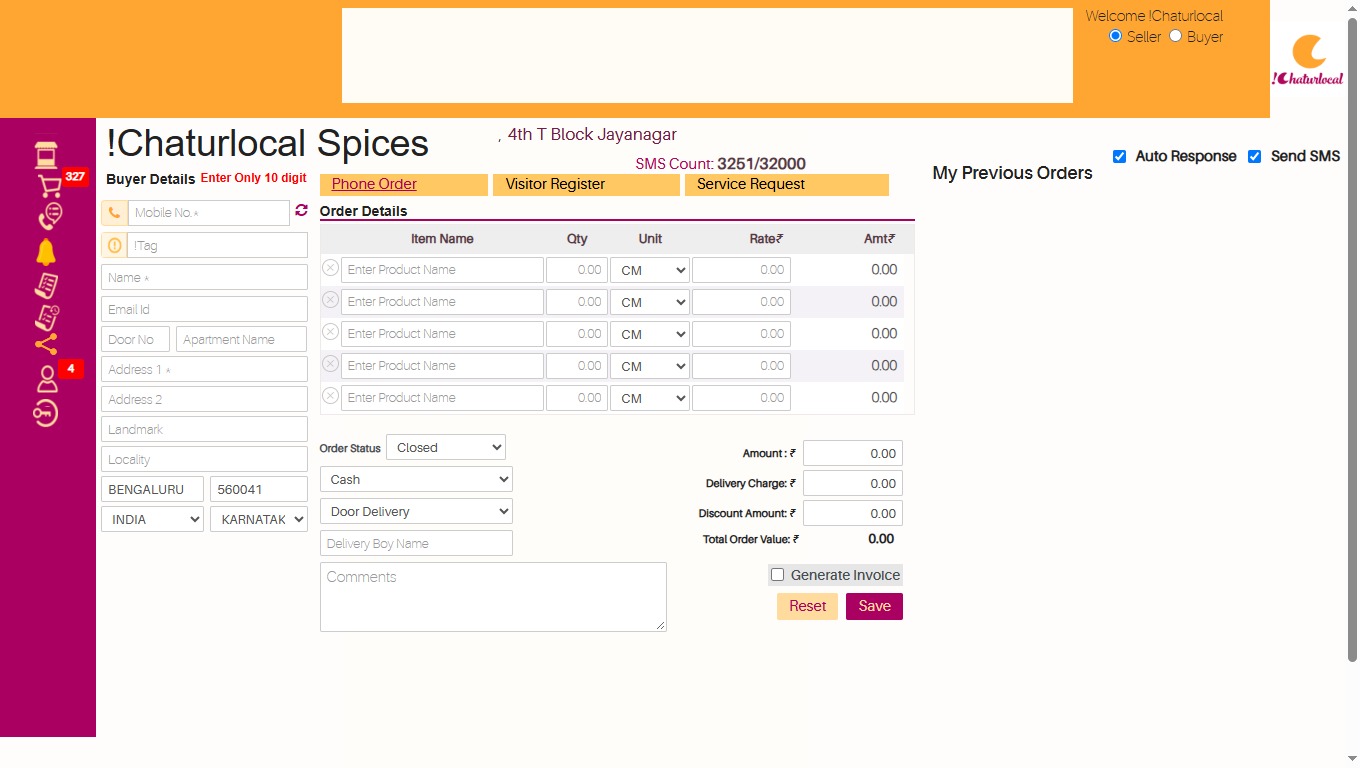
Turn incoming calls into an organized order workflow.
Designed to make phone-based ordering easier for businesses while improving convenience for regular customers.
Know your customer when they call
Through the Order Tool, businesses can take customer orders over the phone and track incoming calls through their !Chaturlocal page.
When a regular customer calls, the customer's name and available details can be displayed along with the list of previous orders, helping the business respond faster and provide a more convenient ordering experience.
From incoming call to confirmed order
The Order Tool helps make phone-based order handling quicker and more organized for both your business and your customers.
Customer Calls
Receive an incoming customer call and begin the order process.
Customer Details Display
View available customer information, address and previous order history.
Create or Repeat Order
Create a customized order or quickly repeat a customer's previous order.
Confirm Customer
Once confirmed, the customer receives order confirmation through SMS and email.
Everything needed for phone order management.
Practical features that help automate and simplify orders received by phone.
Caller ID & Number Display
Identify incoming customer calls and display the available caller information.
Customer Details
Access regular customer information when receiving their incoming call.
Address Auto-Population
Use available customer information to simplify address entry during order processing.
Customized Orders
Create and manage customer-specific orders while handling the call.
Order History
View the list of previous orders placed by a regular customer.
Quick Re-Order
Repeat a customer's previous order quickly without creating the complete order again.
SMS Confirmation
Send an immediate text message to the customer after the order is confirmed.
Email Confirmation
Customers can also receive order confirmation through email.
Make regular customers feel recognized.
The Order Tool helps businesses provide a more personalized phone-order experience by displaying customer information and previous order history when available.
Instead of starting from the beginning every time, regular orders can be handled faster and customers receive immediate confirmation once their order has been accepted.
See how the Order Tool simplifies phone orders
See how !Chaturlocal can help organize incoming phone orders, customer information, previous orders and confirmations.
- Incoming calls
- Caller information
- Customer details
- Order history
- Repeat orders
- Customized orders
- SMS confirmation
- Email confirmation
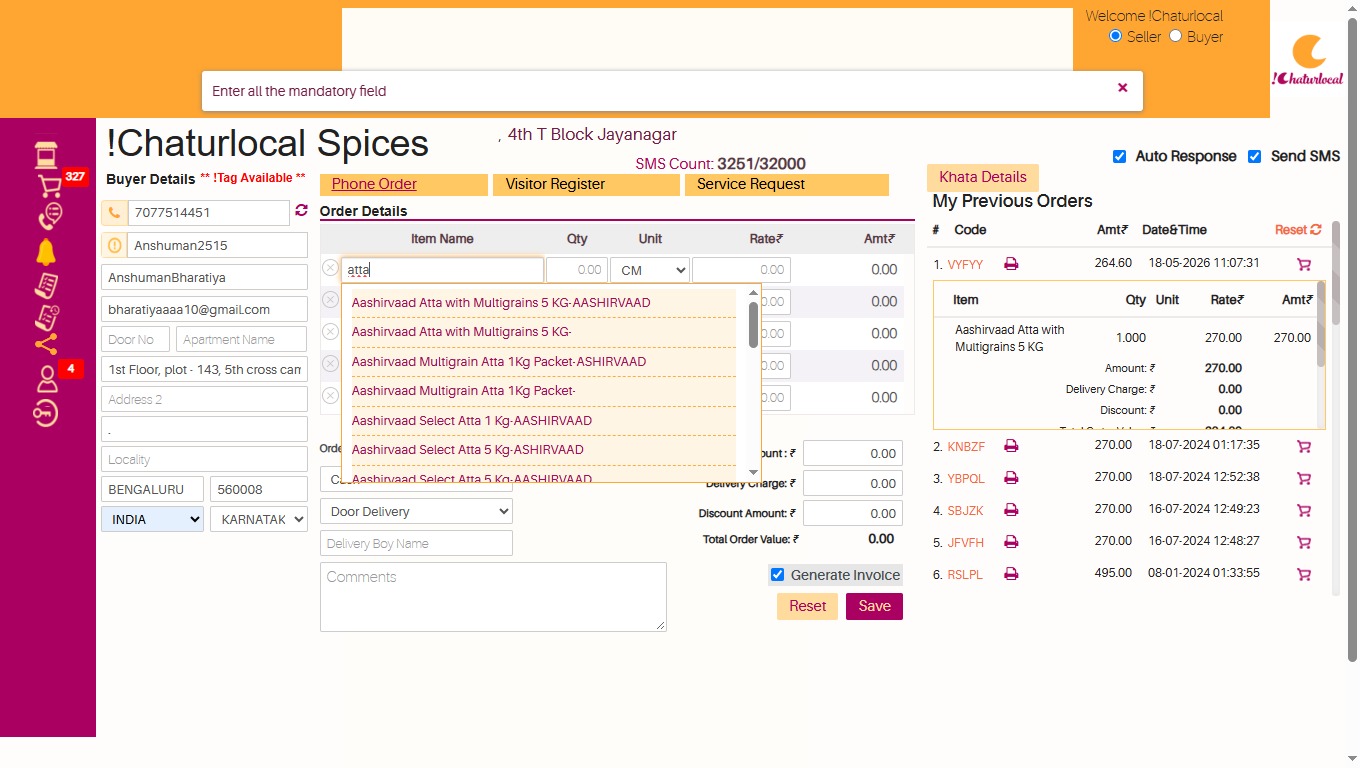
Self-building POS Product List
The platform also offers a Self-building POS Product List facility. This helps auto-populate products and their prices that are of a similar nature, making product selection more convenient while handling customer orders.
Maintain customer pending payments with Khata
The Order Tool also supports customer Khata — a private customer account where orders with pending payments can be maintained and settled periodically.
One practical tool for phone-based orders.
Make phone ordering easier for your business.
Manage incoming phone orders, recognize regular customers, view previous orders, repeat orders quickly and provide immediate SMS and email confirmation using the !Chaturlocal Order Tool.